
How Does It Work?
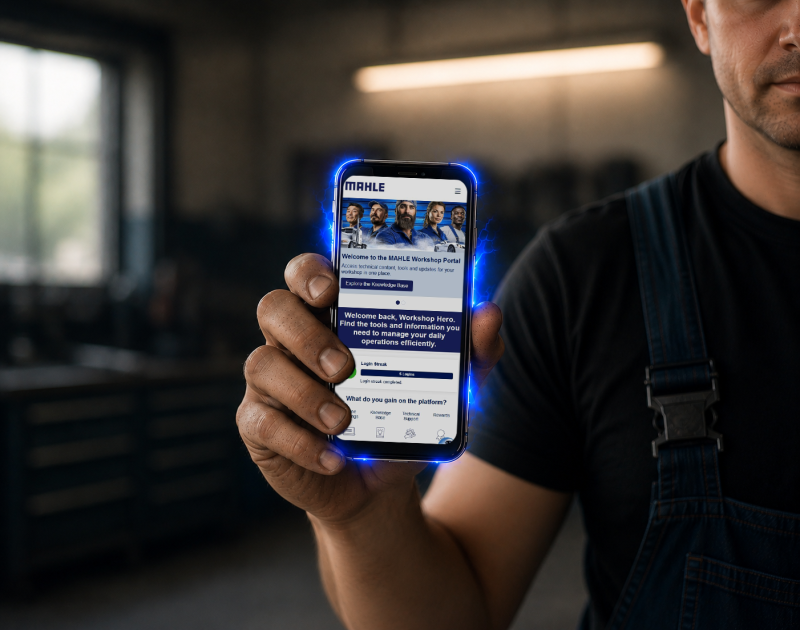
Explore our Knowledge Base!
Workshops can explore technical documentation, repair guides and video tutorials to improve diagnostic accuracy and service efficiency.
Question about the new Portal
How do I register for the Workshop Portal?
Simply visit the registration page, enter the necessary details, and confirm your email address. You can also be invited by a colleague or another automotive professional already using the Portal via the referral function.
Is the MAHLE Workshop Portal free?
Membership of the MAHLE Workshop Portal is completely free! Registration and access to the platform are free of charge. Users can access technical support, documentation, and even free training courses. Any training courses with additional costs are clearly marked and participation is voluntary.
Who can register for the Workshop Portal?
The Workshop Portal is designed for professional users in the automotive industry such as workshop owners, service administrators, mechanics, and technicians involved in vehicle diagnostics and repairs. We regularly audit user activity to ensure access for you, our Workshop Heroes.
Where can I find information about available training courses, including free and paid options?
Training courses are available directly in the Portal, in the dedicated “Training” section. The platform offers both free and paid courses, covering a range of technical topics relevant to diagnostics, repair, and workshop operations.
Each training course is clearly marked as either free or paid within the section, along with detailed information regarding its scope, content, format, and participation requirements.
Where can I access Technical Support within the Portal?
Service-related functions are available in the “Service” section of the Portal. This section allows users to request support for technical or product issues, as well as help needed regarding the Portal.
Every request you submit is sent directly to the responsible team, and you can follow its status after logging in.
Why is the Workshop Portal not available in my country/region yet?
The Portal is being launched in phases to ensure the best possible user experience. We are continuously expanding availability of the platform and working to launch in additional countries as quickly as possible. Please contact your local MAHLE representative for the latest information regarding availability in your market.
What devices are compatible with the Workshop Portal?
We know that you’re busy, so we designed the Portal to be accessible anywhere. Any device with a web browser can be used. The Portal will adapt to your needs regardless of whether you’re using a computer, mobile phone, tablet, or diagnostic device.
Will other features be added in the future?
This is only the beginning! New features will be added continuously, and we will communicate these to registered users.
We actively listen to your feedback and take a deep look into workshop life to design new features that will add value to your working day and beyond.
Earn Points – Loyalty Program
I want to see what I can use my earned points for. Where can I find this information?
Information about your earned points and how to use them is available after logging in under the “Earn Points” section. Points are awarded for activity on the Portal.
Every logged-in user can check the number of points earned and their activity history in the “Profile” section. Updates are posted in real time, so it’s a good idea to check this section often so you don’t miss out on your latest points wallet.
Can multiple users from the same workshop use the Workshop Portal?
Of course. The Portal is designed for teamwork, so multiple users from a single workshop can use it. Each mechanic or employee can have their own account, which makes it easier to personalize content, reward activities and track training progress at any time. For more information, see the Referral Program.
I am having an issue using my points or a reward. What should I do?
Issues related to earning or redeeming points can be reported through the “Service” section of the Portal. Users can submit a ticket describing the problem, including all necessary details.
All submitted tickets can be tracked directly within the Portal.
Knowledge Base – Using the Website
What type of technical information is available in the Knowledge Base?
The Knowledge Base contains technical documentation, repair guides, diagnostic procedures, and instructional materials related to MAHLE products. The scope of content may include vehicle systems, component-specific information, and troubleshooting guides.
Can I download or print technical documentation from the Knowledge Base?
In the individual Knowledge Base pages, documents are available for download and printing if needed. Click “Save” to download a PDF containing the relevant instructions or guide.
What should I do if I cannot find the information I am looking for?
If the required information is not available in the Knowledge Base, users are advised to use the “Service” section to submit a ticket. This allows the MAHLE technical support teams to assist you directly with specific diagnostic or documentation-related queries.

Built for Workshop Heroes that want to level up.
Whether you own an independent workshop or work as a technician, you can access expert knowledge, support tools, and technical guides designed for real workshop needs.
Want to learn more? Meet our team at the booth or use the form below to request a follow-up.